Scan
With the camera, one code or several at once, or from an image of the gallery. 13 formats, from QR Code and Data Matrix to EAN-13 and Code 128.

Light, fast, with no ads and no account: your codes stay on your phone.


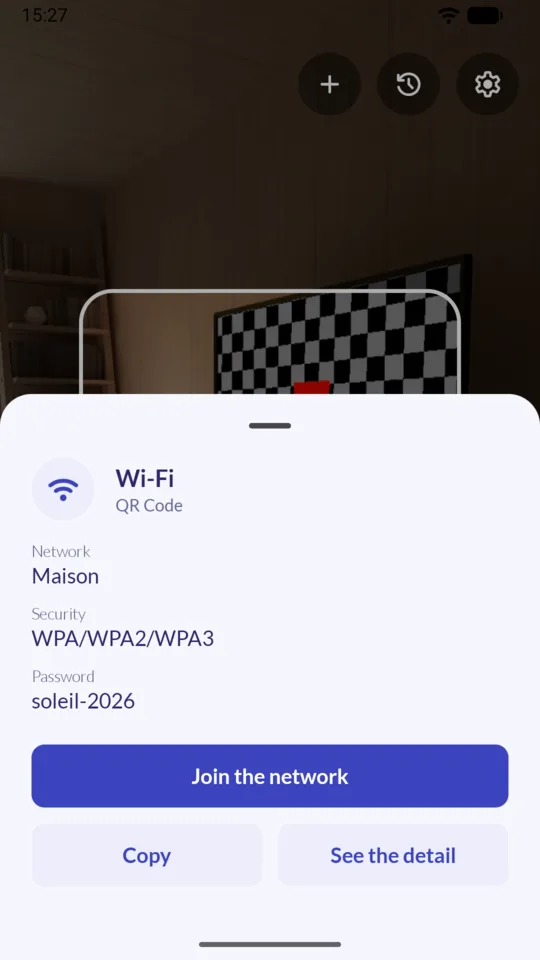
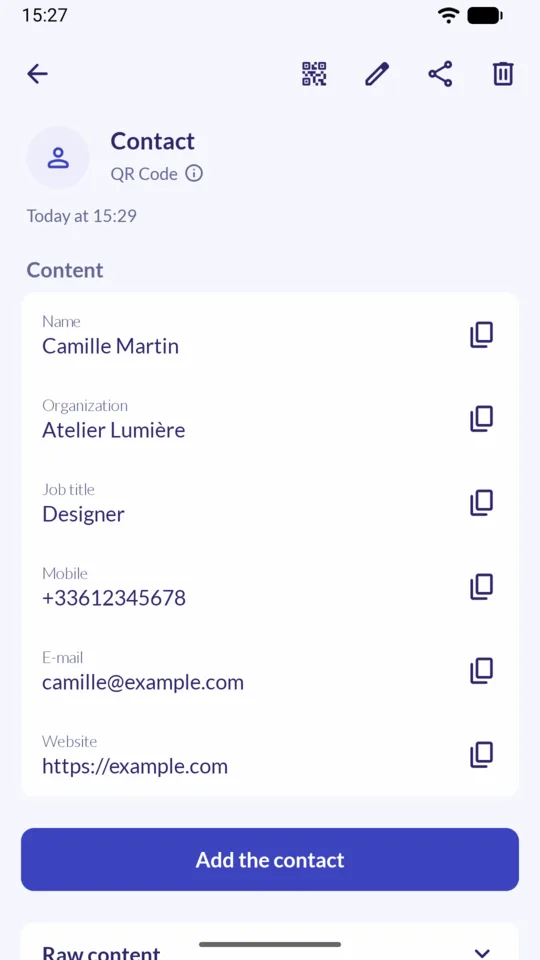
Scanny reads what a code holds, field by field, and offers the action that goes with it.
With the camera, one code or several at once, or from an image of the gallery. 13 formats, from QR Code and Data Matrix to EAN-13 and Code 128.
Open a link, join a Wi-Fi network, add a contact or an event, write an e-mail, show a place on the map, add a one-time password to your authenticator.
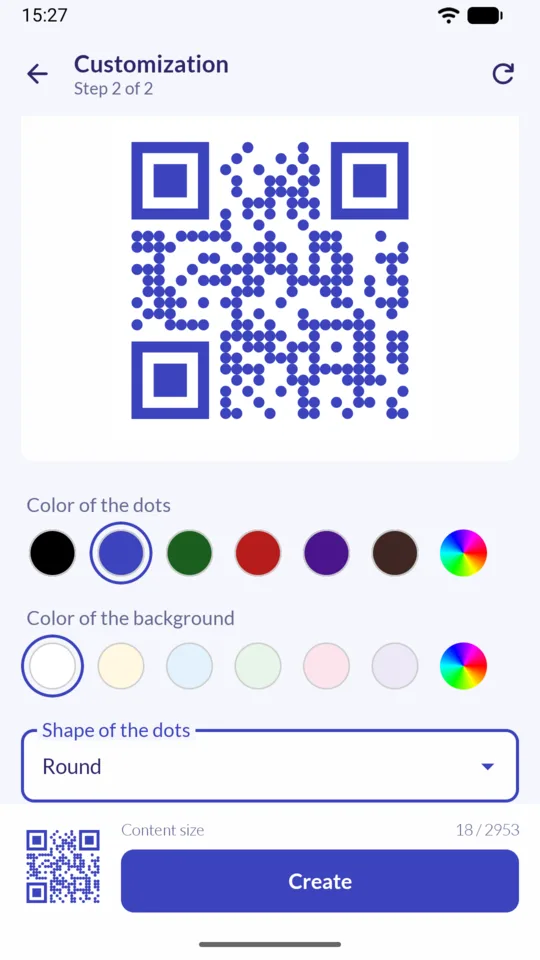
QR codes, Data Matrix, Aztec codes, PDF417 and barcodes, drawn as you type. Colors, gradient, shapes and logo for your QR codes, then share or save them as images.
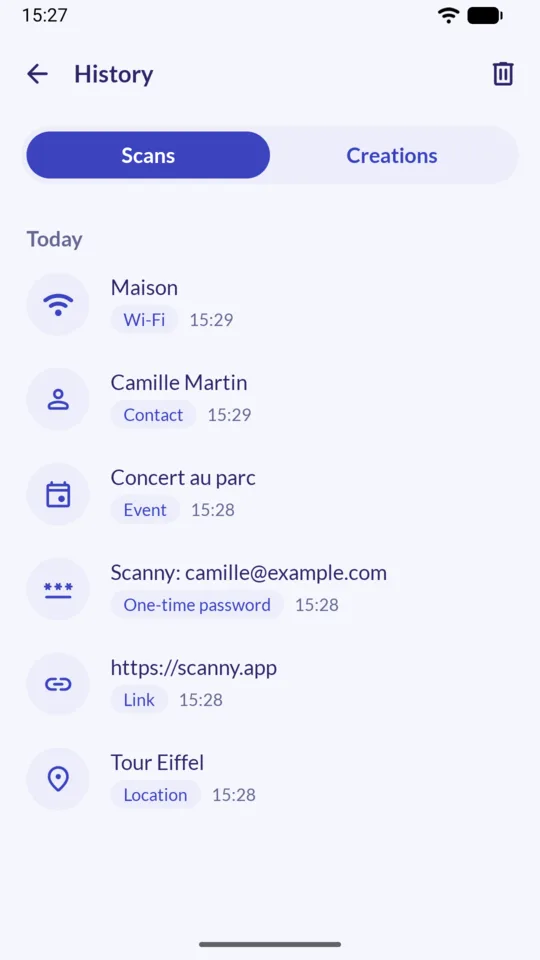
Your scans and creations, kept as long as you choose, your favorites at the top. Every code drawn again, ready to be shared or saved.
Scanny opens straight on the camera. Everything else is one tap away.
No ads, no account, no tracking. Your history never leaves your phone. Scanny is open source: anyone can check what it does.
Read the privacy policyFree, on Android and iPhone.